If you have monitored the GPU mining scene recently, you have probably encountered the name Alephium ALPH multiple times. The project develops its operations without attracting attention because most of the cryptocurrency market currently pursues different trends. Crypto miners searching for new profitable assets to mine should pay special attention to Alephium.
This mining guide provides complete information about ALPH mining operations, which beginners and intermediate miners can follow from initial knowledge through hardware installation and software setup to optimal profit generation. This guide provides complete information about mining operations, which start from basic procedures and progress to techniques for advanced system performance improvement.
What Is Alephium (ALPH)?
Before you point your rig at any mining pool, it’s worth understanding what you’re actually mining. The mainnet for Alephium, which operates as a Layer 1 blockchain system, came into existence in November 2021. The system operates through a unique sharding method called BlockFlow, which integrates Directed Acyclic Graph data structure elements with advanced Unspent Transaction Output system elements. The system processes its transactions through multiple chains, which work simultaneously, instead of using the conventional method that requires all transactions to flow through a single queue.
Here are some quick facts that set Alephium apart:
- Sharded Architecture: Alephium executes its operations through 16 shards, which operate together to increase transaction capacity while maintaining security.
- Speed: The network achieves a capacity to process more than 10000 transactions per second, which establishes its status as one of the fastest Proof of Work blockchains ever created.
- Efficacité énergétique : PoLW system achieves energy savings of 87% when compared to standard Bitcoin PoW systems after reaching specific hashrate levels.
- Smart Contracts: The platform supports DeFi applications and smart contracts through a custom virtual machine called the Alphred VM, purpose-built for security and efficiency.
- Fixed Supply: ALPH has a hard cap of 1 billion tokens, giving it defined scarcity similar in concept to Bitcoin’s 21 million cap.
- Developer Activity: The Alephium GitHub has ongoing commits and regular upgrades, which signal a team that’s actively building, not just collecting a launch fee.
Understanding the Alephium Mining Algorithm: Blake3
The Blake family has a strong reputation for being cryptographically secure and extremely fast. Blake3 specifically was designed with parallelism at its core, meaning it naturally maps well to the architecture of modern GPUs, which have thousands of parallel compute cores. This is part of why Alephium mining feels efficient compared to other algorithms. Your GPU is doing exactly what it was designed to do. It doesn’t waste GPU cycles on memory-intensive operations the way Ethash does.
Why Blake3 Matters for Miners
- GPU-Friendly: Blake3 achieves high parallel processing efficiency, which allows modern Nvidia and AMD GPUs to execute the program effectively while achieving good performance results at low energy consumption levels.
- ASIC Support Growing: The rising popularity of Alephium has led Bitmain and IceRiver to develop dedicated Blake3 hardware, which major ASIC manufacturers now offer. The system provides commercial miners with tools to expand their operations through dedicated hardware.
- Low Memory Requirements: Blake3 needs less VRAM than Ethash, which requires large memory resources for its operations. The network can still function with older GPUs that have 4 GB or more VRAM because they can provide valuable computational power.
- Low Heat Profile on Memory: Because Blake3 requires more computational power than it needs memory resources, GPU memory operates at lower temperatures compared to algorithms that require high memory usage. The process enables the extended operational time of older equipment.
Minimum Hardware Requirements
| Component | Minimum Spec | Recommended Spec |
| Processeur | Intel Core i5 / AMD Ryzen 5 | Intel Core i7 / AMD Ryzen 7 or higher |
| GPU (Nvidia) | GTX 1060 6GB | RTX 3070 / RTX 4070 or higher |
| GPU (AMD) | RX 580 8GB | RX 6700 XT or higher |
| RAM | 8 GB | 16 GB |
| Stockage | 256 GB SSD | 500 GB SSD |
| Internet | Stable broadband | Low-latency wired broadband |
| OS | Windows 10 / Ubuntu 20.04 | Windows 10/11 / HiveOS / Ubuntu 22.04 |
Alephium Mining Rewards: What Can You Actually Earn?
Alephium’s reward system displays complete originality when compared to other mineable cryptocurrencies. The ALPH cryptocurrency uses a dual-curve reward system, which calculates rewards through both time progression and current network hashrate. The actual block reward at any moment equals the minimum of these two independently calculated values: Block Reward = min(Time-Based Reward, Hashrate-Based Reward)
The dual-curve system operates effectively because it maintains equilibrium between miner rewards during various phases of the network’s operation. The system provides higher rewards during the initial stage because the low hashrate needs to attract additional miners who will establish network protection. The reward system develops through network progression to control inflation while maintaining sufficient mining value.
Time-Based Reward Explained
- Over the first four years from mainnet launch, the time-based reward drops gradually from 7.5 ALPH per block period (shared across all 16 chains) down to 2.5 ALPH.
- After four years from launch, the time-based reward becomes fixed at 2.5 ALPH, permanently giving miners a predictable baseline floor going forward.
Hashrate-Based Reward Explained
- When the network hashrate is in the range of 1 PH/s to 1 EH/s, the hashrate-based reward gradually decreases from 7.5 ALPH to 2.5 ALPH per block period.
- If the hashrate grows beyond 1 EH/s, the reward tapers further. At that point, the Proof of Less Work mechanism kicks in to reduce energy requirements for individual miners, a unique feature with no equivalent in Bitcoin’s model.
- Importantly, the hashrate-based reward carries a guaranteed minimum of 3.75 ALPH while the hashrate remains between 1 PH/s and 1 EH/s, which protects miners from reward collapse at lower network participation levels.
Uncle Block Rewards
Alephium uses a GHOST-style algorithm similar to early Ethereum, where a main-chain block can reference uncle blocks. Both the miner who found the main block and the miner who found the uncle block receive rewards. For smaller miners, this is a meaningful feature. It means even if your share of network hashrate is small and you frequently miss the main block by a narrow margin, you can still capture uncle rewards and smooth out your income curve.
Current Network Stats (as of early 2026)
| Métrique | Valeur |
| Récompense de bloc | ~0.14 – 0.19 ALPH per block |
| Temps de bloc | ~8 seconds (post-Danube upgrade, July 2025) |
| Hasheur réseau | ~9.4 PH/s |
| Total Blocks/Day | ~172,800 (16 shards combined) |
| Reward Lock Period | 500 minutes after mining |
| ALPH Hard Cap | 1 Billion ALPH |
| Mining Algorithm | Blake3 |
| Dual Mining Option | Yes, compatible with ETC |
Important note on the 500-minute lock: Mined ALPH becomes spendable after 500 minutes, which equals approximately 8 hours and 20 minutes of waiting time. This decision exists because it represents a network design choice rather than being a policy established by the pool. Your rewards are secure and growing because they need to complete a waiting period before you can access them for transfer or sale.
Setting Up Your Alephium Wallet
Before you mine a single ALPH, you need a secure place to receive your rewards. New miners tend to rush through this step because they do not understand its importance until later. The correct approach to this task requires 15 minutes of work, and it will lead to much simpler results.
Option A: Official Alephium Desktop Wallet (Recommended)
The official Alephium desktop wallet is the best option for most miners. It gives you full control of your private keys, supports the special miner wallet address structure, and is regularly updated by the core Alephium team.
- Head to alephium.org and navigate to the Wallet section.
- Download the official desktop wallet for your operating system (Windows, macOS, or Linux).
- Install and launch the wallet application.
- Click Create New Wallet and carefully write down your 24-word seed phrase on paper. Do not screenshot it. Do not store it in a cloud document like Google Docs or Dropbox. Write it by hand and keep it somewhere physically safe; a fireproof lockbox or a dedicated safe is ideal.
- Confirm your seed phrase when prompted, which ensures you actually recorded it correctly.
- Once the wallet is created and synced with the Alephium network, navigate to the Addresses section to find your ALPH address.
Understanding the Miner Wallet Structure
The operation of a miner wallet differs from that of a standard wallet. The proper miner wallet for Alephium requires the creation of four distinct addresses because the system has 16 shards that connect to four address groups.
The system design enables your node to collect mining rewards from all 16 chains at once and directs the rewards to the specific address group needed for each individual chain. Your complete node configuration requires all four miner addresses to be added when you start your solo mining operation. Pool mining is simpler because most pools only require a single ALPH address as your payout destination. The technical routing process runs on the pool system’s backend.
The use of a standard single-address wallet for solo mining will result in the loss of rewards from three out of four address groups. The common error which new solo miners make requires them to check their wallet type before beginning their work because it creates frustration for their first mining experience.
Option B: Exchange Wallet (Quick-Start Only)
If you want to get started quickly without setting up a full wallet right now, you can use your ALPH deposit address from a supported exchange like Gate.io or KuCoin. This will work technically, but it is not a recommended long-term solution:
- You do not control the private keys that the exchange does.
- Exchanges can freeze withdrawals, get hacked, delist ALPH, or go bankrupt without warning.
- Some exchanges impose minimum deposit thresholds that can cause small early mining rewards to be rejected.
Option C: Alephium Mobile Wallet
Alephium also offers a mobile wallet app for iOS and Android. While convenient for checking balances and receiving occasional payouts, it’s less ideal as a primary mining wallet because mobile devices are generally less secure than a dedicated desktop wallet. That said, it works well for monitoring your pool balance and confirming that payouts have arrived when you’re away from your desk.
Choosing Your Mining Method: Solo vs. Pool Mining
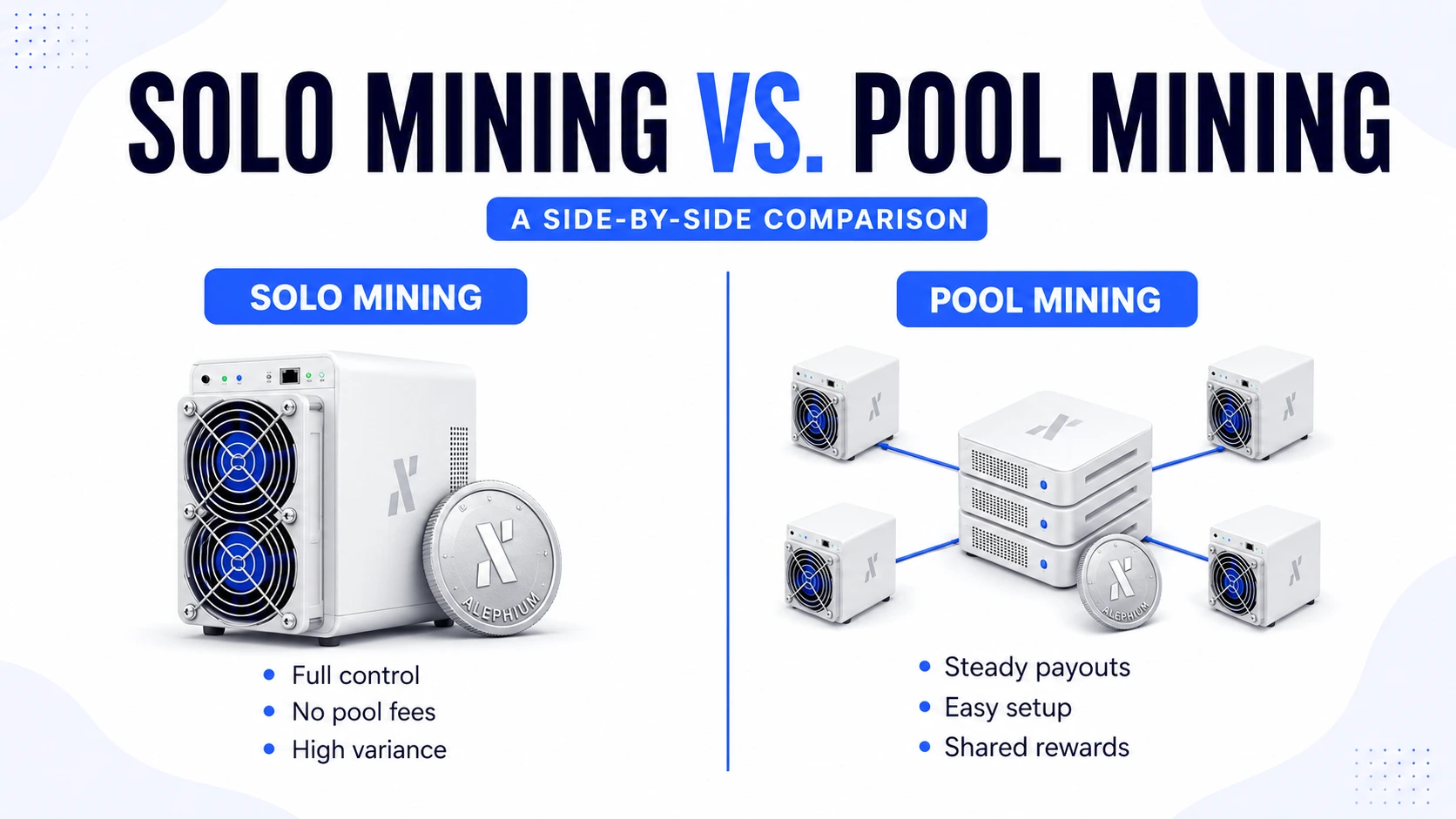
You have two main paths when it comes to mining ALPH: solo mining or pool mining. The two methods require different operations and skills, which you need to understand before your mining activities begin, because they will lead to various results.
Solo Mining vs. Pool Mining: A Side-by-Side Comparison
| Factoriser | Exploitation minière solo | Minage en pool |
| Setup Complexity | High (requires full node) | Bas |
| Reward Consistency | Infrequent but large payouts | Frequent, smaller payouts |
| Required Hashrate | Very high (multiple GPUs or ASICs) | Any size, even 1 GPU |
| Pool Fees | Aucun | 0.5% – 2% per payout |
| Meilleur pour | Large farms (10+ GPUs or ASICs) | Individual and small miners |
| Technical Knowledge | Advanced | Beginner-friendly |
| Variance | High (may wait weeks for a block) | Low (predictable earnings) |
| Full Node Required | Yes | No |
Who Should Solo Mine?
Solo mining Alephium means you run your own full node and connect your hardware directly to the network. When your hardware finds a valid block, you keep the entire block reward, no pool fee, no sharing, no waiting for pool payouts. It’s the most independent form of mining you can do.
The catch is variance. With the network sitting at around 9.4 PH/s, a solo miner running a single RTX 3080 (roughly 3.5 GH/s) would represent an extremely small fraction of the total hashrate. The expected time between block finds at that size could stretch into months or years. For most individual crypto miners running a few consumer GPUs, that kind of variance isn’t practical.
Solo mining makes real sense if you have a substantial ASIC farm, multiple AL1 Pro units at 16.6 TH/s each, for example or an unusually large GPU setup where your aggregate hashrate is a meaningful share of the network. Running your own node also gives you complete independence from pool downtime, fee deductions, and pool-level trust.
Who Should Pool Mine?
Pool mining allows miners to combine their hashrate with an existing group of miners, which results in the pool distributing rewards according to the mining output of each individual miner. Instead of waiting for the jackpot of a solo block find, you receive smaller, regular payouts that reflect your honest share of the work done.
For anyone starting, whether you have 1 GPU or 10, pool mining is almost always the right call. It provides a predictable, regular income, requires far less technical setup, and gets you earning within minutes of configuration. Pool fees (typically 0.9%–1%) are a small and fair price to pay for income consistency.
Setting Up Solo Mining (Advanced)
If you’ve assessed your hashrate and decided to go solo, here’s a thorough walkthrough.
Prerequisites for Solo Mining
- A dedicated computer for running the Alephium full node (minimum 4 GB RAM, SSD strongly recommended for faster initial sync)
- The Alephium full node software from github.com/alephium/alephium (always use the latest release)
- A miner wallet with 4 correctly generated miner addresses (one per address group)
- GPU or ASIC mining software: BzMiner, lolMiner, SRBMiner, or the official miner from the Alephium GitHub
Step-by-Step Solo Mining Setup
Step 1: Download and Install the Full Node
Download the latest Alephium full node JAR file from the GitHub releases page. You must install Java Runtime Environment version 11 or higher on your computer system. The default data directory where the node stores blockchain data is:
- Windows: C:\Users\<your-username>\.alephium
- macOS: /Users/<your-username>/.alephium
- Linux: /home/<your-username>/.alephium
Launch the node with: java -jar alephium-x.x.x.jar
Step 2: Wait for Full Sync
The process of syncing the complete Alephium blockchain requires multiple hours to complete, according to the user’s internet speed and computer equipment. The system allows users to track their progress through its integrated REST API. Once sync is complete, the API will return “synced”: true. Do not begin mining until your node is fully synced. Mining on stale block templates wastes your hardware’s time.
Step 3: Create a Dedicated Miner Wallet
Using the full node’s REST API, call the wallet creation endpoint to generate a new miner wallet. The server returns your wallet’s mnemonic phrase. This is up immediately and securely. It also returns 4 mining addresses, one for each of Alephium’s 4 address groups (Group 0 through Group 3).
Step 4: Configure the Full Node for Mining
Edit the user.conf configuration file inside your .alephium data directory. Add your 4 miner addresses to the mining configuration section. The node will automatically route block rewards to these addresses when valid blocks are found by your hardware.
Step 5: Secure the API Endpoint
By default, the Alephium full node API is bound to localhost, accessible only from the same machine, which is safe. However, if you ever configure alephium.api.network-interface to a public IP address for remote monitoring, you must set up an API key immediately. Without this, anyone on the internet could potentially access your miner wallet through the exposed API endpoints.
Step 6: Launch Your Mining Software
For Nvidia GPUs, use the official miner from github.com/alephium/gpu-miner or a third-party option like BzMiner. For AMD GPUs, use the AMD miner from github.com/alephium/amd-miner. Note that AMD performance lags behind Nvidia on this specific miner. Point your software to localhost:10973 (the default mining API port of your full node) rather than a pool stratum URL.
Setting Up Pool Mining (Recommended for Most Miners)
Pool mining is significantly simpler and faster to get started with. Here’s a complete walkthrough.
Popular Alephium Mining Pools
Choosing the right pool matters. Look for groupes miniers with high uptime, reasonable fees, and low minimum payouts, so you’re not waiting forever for your first coins.
| Pool Name | Frais | Paiement min | Region Coverage | Notes |
| Herominers | 1% | 0.5 ALPH | Global | Large, stable, long-running pool |
| WoolyPooly | 0.9% | 1 ALPH | Global | Beginner-friendly dashboard |
| K1Pool | 1% | 1 ALPH | EU/Global | Also offers solo pool mode |
| AntPool | Varies | Varies | Global | Best suited for ASIC miners |
| unMineable | 1% | Configurable | Global | Simple UI, payout flexibility |
| 2Miners | 1% | 1 ALPH | EU/US/Asia | PPLNS payout, detailed stats |
Pro tip: Always pick a pool server geographically close to your rig. High latency leads to stale share submissions, which reduces your effective earnings. A server in Frankfurt will perform better for a European miner than one in Singapore.
Recommended Mining Software for Blake3
| Logiciel | Nvidia | AMD | Windows | Linux | Dev Fee |
| BzMiner | Yes | Yes | Yes | Yes | 0.5% |
| lolMiner | Yes | Yes | Yes | Yes | 0.7% |
| T-Rex Miner | Yes | NO | Yes | Yes | 1% |
| SRBMiner-MULTI | Yes | Yes | Yes | Yes | 0.85% |
BzMiner is the most popular choice for new ALPH miners because of its low dev fee, clean configuration, and active development. lolMiner is a close second and tends to perform slightly better on certain AMD GPU models.
Step-by-Step Pool Mining Setup (BzMiner on Windows)
Step 1: Download BzMiner
Go to the official BzMiner GitHub page (github.com/bzminer/bzminer) and download the latest release for Windows. You’ll receive a ZIP file. Extract it to a permanent location like C:\Mining\BzMiner\. Avoid directory paths with spaces, as these can cause issues on some Windows configurations.
Step 2: Copy Your ALPH Wallet Address
Open your Alephium desktop wallet and copy your ALPH address from the main screen. It starts with “1” followed by a string of alphanumeric characters. Double-check there are no extra spaces when you paste it. A single wrong character means your rewards get sent into the void.
Step 3 Edit the Config File
Inside the BzMiner folder, find alph.bat (Windows) or alph.sh (Linux). Right-click and open it in Notepad or any text editor. You’ll see a template that looks like this:
@echo off
bzminer -a alph -w YOUR_ALEPHIUM_WALLET_ADDRESS -p stratum+tcp://de.alephium.herominers.com:1199
pause
Replace YOUR_ALEPHIUM_WALLET_ADDRESS with your actual wallet address. Optionally, append a worker name after a dot like YOUR_ADDRESS.RIG1 to identify your machine on the pool dashboard. If you run multiple rigs, name each one uniquely (RIG1, RIG2, GARAGE, etc.) for easier monitoring and troubleshooting.
Step 4: Choose the Right Regional Server
Herominers offers servers in multiple regions:
- EU: de.alephium.herominers.com:1199
- USA: us.alephium.herominers.com:1199
- Asia: sg.alephium.herominers.com:1199
Pick the one that physically corresponds to your location.
Step 5: Save and Run
Save your edited BAT file and double-click it to launch. A terminal window opens showing your GPU(s) connecting to the pool and submitting shares. Seeing “Share accepted” messages means everything is working. If you see connection errors, recheck the pool URL and port number carefully.
Step 6: Monitor Your Stats
Open your pool’s website and paste your wallet address into the miner search bar. After about 15–30 minutes, your hashrate, submitted shares, and pending reward balance will appear. Check this dashboard regularly; a flatlined hashrate is usually the first sign that your miner has crashed silently.
Setting Up Mining on HiveOS
Many serious miners prefer HiveOS over Windows because it’s purpose-built for mining operations, it boots faster, uses fewer system resources, and supports remote management and automatic restarts. Here’s a quick setup guide for Alephium on HiveOS.
HiveOS Quick Setup for ALPH Mining
- Create a HiveOS account at hiveos. farm and download the HiveOS image.
- Flash the image to a USB drive using Balena Etcher and boot your mining rig from that USB.
- Register your rig using the Farm Hash displayed on screen during first boot.
- Add a Wallet in HiveOS: navigate to Wallets, paste your ALPH address, and select Alephium as the coin type.
- Create a Flight Sheet: choose Alephium as the coin, your wallet, your pool (e.g., Herominers), and BzMiner or lolMiner as the mining software.
- Apply the Flight Sheet to your rig with one click and watch it start mining.
HiveOS also lets you configure overclocking profiles directly in the interface, view live GPU temperatures and fan speeds, set auto-restart rules, and receive Telegram or Discord alerts if any GPU drops offline. For anyone managing more than two or three rigs, the quality-of-life improvement over Windows is substantial and well worth the minor learning curve.
Optimising Your Mining Performance
Getting your rig running is the starting line, not the finish line. Squeezing the most profitable output from your hardware is an ongoing process. Here are the practical techniques that experienced miners use to stay efficient.
GPU Overclocking Guidance for Blake3
Blake3 is a compute-heavy algorithm, not a memory-heavy one. This is the most important thing to understand when overclocking for ALPH. Your primary lever is core clock speed. Cranking memory clocks will not produce meaningful hashrate gains and may actually destabilise the rig.
| GPU Model | Core Clock Offset | Memory Offset | Power Limit | Expected Hashrate |
| RTX 3070 | +100 to +150 MHz | Stock or -500 | 70–75% | ~2.4–2.6 GH/s |
| RTX 3080 | +100 to +150 MHz | Stock | 70–80% | ~3.3–3.6 GH/s |
| RTX 4070 | +100 MHz | Stock | 65–70% | ~3.0–3.3 GH/s |
| RTX 4080 | +100 MHz | Stock | 65–70% | ~4.2–4.6 GH/s |
| RX 6700 XT | +50 to +80 MHz | Stock | 75–80% | ~2.0–2.3 GH/s |
| RX 6800 XT | +60 to +100 MHz | Stock | 75–80% | ~2.8–3.1 GH/s |
Always apply overclocking changes in small increments, increasing by 25–50 MHz at a time, and run the miner for at least 30 minutes before evaluating stability. Keep GPU core temperature below 75°C and GPU hotspot (junction) temperature below 90°C for safe round-the-clock operation.
Software Settings That Make a Real Difference
- Mining intensity: Both BzMiner and lolMiner allow you to adjust mining intensity. On a dedicated rig with no other workload, use maximum intensity. On a multi-purpose PC, dial it back so the system stays responsive.
- Auto-restart scripting: In your Windows BAT file, add a: start label at the top and a goto start line at the bottom so the miner automatically relaunches after any crash. HiveOS handles this automatically via its built-in watchdog.
- GPU driver versions: Mining communities on Reddit (r/gpumining) and Discord frequently share reports of specific driver versions that improve or degrade Blake3 performance. Check community feedback before updating blindly.
- Riser card quality: If you’re running a multi-GPU open-frame rig using PCIe riser cards, low-quality risers are a leading cause of random GPU drops and miner crashes. Invest in reliable USB 3.0 risers; the money saved on cheap risers costs more in downtime.
Electricity Cost and Profitability Calculations
Mining profitability always traces back to your electricity cost per kWh. Here’s a practical reference to help frame your own numbers:
| Processeur graphique | Hashrate (Blake3) | Consommation de courant | Cost/Day @$0.08/kWh | Cost/Day @$0.12/kWh |
| RTX 3070 | ~2.5 GH/s | ~120W | ~$0.23 | ~$0.35 |
| RTX 3080 | ~3.5 GH/s | ~200W | ~$0.38 | ~$0.58 |
| RTX 4070 | ~3.2 GH/s | ~150W | ~$0.29 | ~$0.43 |
| RTX 4080 | ~4.5 GH/s | ~220W | ~$0.42 | ~$0.63 |
| RX 6700 XT | ~2.2 GH/s | ~130W | ~$0.25 | ~$0.37 |
Plug your exact numbers into CeQu'ilFautMiner ou Minerstat using live ALPH price and current network difficulty for a real-time profitability estimate before committing to hardware purchases or scaling decisions.
Managing and Securing Your Mining Rewards
Mining ALPH effectively is only half of the equation. What you do with your rewards matters enormously both for day-to-day security and for your long-term financial outcomes.
Best Practices for Mining Reward Security
- Never mine long-term in an exchange wallet. Exchanges can and do freeze withdrawals, suffer hacks, delist coins without warning, and impose withdrawal delays during high-volume periods. Self-custody is non-negotiable for serious miners.
- Regularly sweep your mining wallet to cold storage, a hardware wallet like a Ledger or Trezor, or an air-gapped machine if you plan to hold ALPH as an investment.
- Your seed phrase is your only recovery option. Write it down in ink, store it in a fireproof safe or safety deposit box, and never type it into any website, app, or message. There is no customer support for lost seed phrases.
- Set up monitoring alerts. Use your pool’s built-in email alert system, or configure HiveOS Telegram notifications, so you’re alerted immediately if your hashrate drops to zero. Every hour of unnoticed downtime is money you’ll never recover.
- Inspect hardware regularly. Look for GPU memory errors in your miner logs, check that all fans are spinning normally, and consider re-applying thermal paste on any GPU older than two years running 24/7.
Where to Sell or Trade Your Mined ALPH
ALPH is currently listed on several established exchanges:
| Exchange | Pairs | Notes |
| Gate.io | ALPH/USDT | Good liquidity, global access |
| KuCoin | ALPH/USDT | User-friendly, widely trusted |
| MEXC | ALPH/USDT | Often high volume for smaller coins |
Always confirm that your target exchange supports ALPH deposits before changing your payout address in your miner configuration. Some exchanges require minimum deposit amounts; deposits below that threshold can be permanently lost.
Tax Considerations for Miners
In most jurisdictions, mined cryptocurrency is treated as ordinary taxable income at the fair market value on the date you receive each payout. Every pool payout is technically a taxable event in countries like the USA, UK, Canada, and Australia.
Practical steps for staying compliant:
- Keep a detailed log of each payout date, ALPH amount, and the ALPH/USD price at the time of receipt.
- Use crypto tax tools like Koinly, CoinTracker, or TaxBit to import pool history and automate cost-basis tracking.
- When you eventually sell mined ALPH, the difference between your original cost basis (the price on payout day) and the sale price is treated as capital gains.
- Always work with a tax professional who understands crypto for advice specific to your country and situation.
Common Alephium Mining Problems and How to Fix Them
Even experienced miners encounter issues. Here are the most common problems new ALPH miners face and exactly what to do about each one.
| Problem | Most Likely Cause | Fix |
| Miner won’t connect to the pool | Wrong pool URL or port in the BAT file | Re-copy the stratum URL directly from the pool’s help page |
| Lower hashrate than expected | Driver is outdated, or no OC applied | Update GPU drivers; apply core clock overclock |
| Miner crashes after a few minutes | OC is too aggressive | Reduce core clock, slightly raise power limit |
| Shares are being rejected at the pool | High latency causing stale shares | Switch to a geographically closer pool server |
| GPU temperature above 85°C | Poor airflow, dust, or dried thermal paste | Clean rig; improve case airflow; repaste GPU |
| Rewards not appearing in the pool dashboard | Typo in wallet address | Verify the address character-by-character against your wallet |
| Full node not syncing (solo mining) | Firewall blocking sync port | Open TCP port 9973 in your firewall or router settings |
| ALPH balance showing zero after payout | The 500-minute lock period is still active | Wait coins appear automatically after the lock expires |
| One GPU is not mining in a multi-GPU rig | Riser card failure or driver issue | Reseat PCIe riser; check device manager; update driver |
Is Alephium Mining Still Worth It in 2026?
This is the question every miner asks before committing, and the only truly honest answer is: it depends on your electricity cost, your hardware, and your risk tolerance.
Here’s a balanced look at both sides of the equation:
Reasons ALPH Is Worth Considering
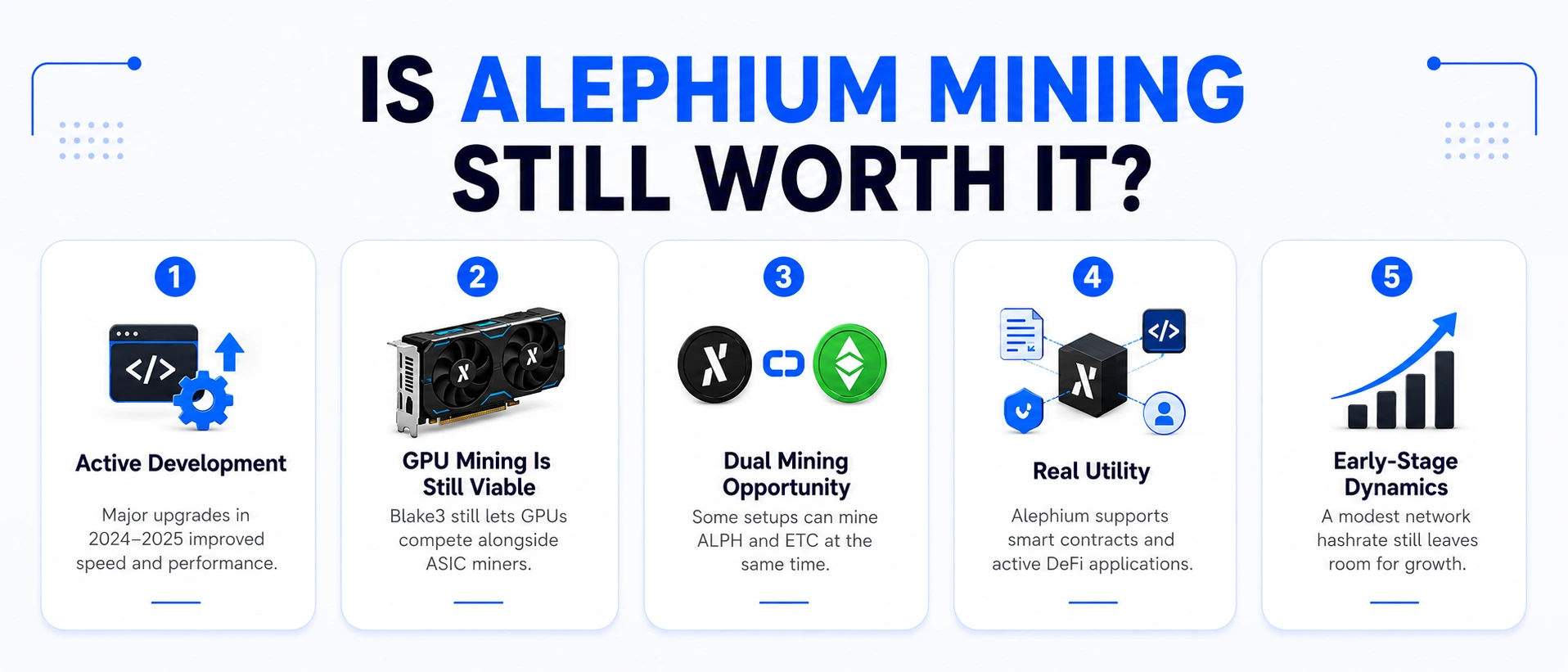
- Active development: The team has shipped two major network upgrades in 2024–2025 (Rhône and Danube), each improving block times and performance. Development activity is a good sign for the long-term health of any mining coin.
- GPU mining is still viable: Blake3 still allows GPU miners to compete meaningfully alongside ASICs, unlike SHA-256, where Bitcoin miners with industrial ASIC farms have completely priced out consumer hardware.
- Dual mining opportunity: ALPH can be dual-mined with Ethereum Classic (ETC) on supported miners, letting you earn two coins from the same electricity and hardware, and spend a meaningful boost to effective profitability per watt.
- Real utility: Alephium is a live smart contract platform with active DeFi apps, not purely a speculative token. Coins with genuine utility tend to have more durable demand.
- Early-stage dynamics: At ~9.4 PH/s, Alephium’s network hashrate is still relatively modest. The difficulty ceiling has considerable room to grow, meaning current miners have better risk-adjusted odds than they will in two to three years if adoption continues.
Risks to Weigh Honestly
- Price volatility: ALPH’s price, like all altcoins, can swing dramatically in short periods. A 50% price drop cuts your revenue in half overnight while your electricity bill stays the same.
- Rising ASIC competition: The release of high-performance machines like the Antminer AL1 Pro means GPU miners face increasing competition as more ASIC units enter the network. If ASIC adoption accelerates rapidly, GPU-level returns will compress.
- Fees are burned, not earned: Unlike Bitcoin, where miners earn transaction fees as a growing second income stream, Alephium burns all transaction fees. Long-term miner revenue depends entirely on block rewards.
- Exchange liquidity: ALPH’s trading volume, while improving, is smaller than that of major coins. Large sell orders from miners can move the market, adding price impact risk for those accumulating large quantities.
The smartest approach for any mineurs de cryptomonnaies entering this space is to calculate your exact profitability using current live data, factor in your realistic electricity rate and hardware depreciation, and make a decision grounded in those numbers, not forum hype or speculative price predictions.
Conclusion
Alephium is one of the more thoughtfully designed blockchain projects in the proof-of-work space today. It doesn’t simply copy what Bitcoin or Ethereum Classic does; it genuinely addresses real problems around scaling, energy consumption, and smart contract security through its unique combination of sharding, BlockFlow consensus, and the Proof-of-Less-Work mechanism. For crypto miners looking for a technically interesting and potentially undervalued project to add to their rotation beyond the usual suspects, ALPH checks a lot of the right boxes.
Whether you’re picking up GPU mining for the very first time or you’re a veteran miner looking to diversify your operation into a newer coin with genuine technical merit, Alephium is absolutely worth exploring properly. Run your numbers honestly, pick a well-supported pool, set up your wallet correctly from the start, and put your hardware to work.
If you’re in the market for quality mining hardware, whether that’s the latest high-efficiency GPU rigs, purpose-built ASIC miners for Blake3 like the Bitmain Antminer AL1 Pro or IceRiver AL3, replacement components, or guidance on building your first rig, Asicmarché is a trusted destination for miners at every stage. With a wide selection of verified hardware, detailed product information, and real support for everything from beginner single-GPU builds to larger commercial operations, Cryptominerbros makes it straightforward to get your Alephium mining setup configured and running the right way from day one. As the mining landscape continues to evolve through 2026 and beyond, having a reliable hardware partner in your corner makes all the difference between a profitable, well-maintained operation and expensive equipment sitting idle.
Questions fréquemment posées
-
Can I mine ALPH with just a CPU?
Technically, yes, but it’s not economically viable. CPU mining on Blake3 produces a tiny fraction of the hashrate that even a mid-range GPU delivers. Unless you’re doing it purely to experiment, stick with a GPU or ASIC.
-
How long does it take to mine 1 ALPH?
It varies widely based on your hardware and current network difficulty. With an RTX 3080 at approximately 3.5 GH/s and the network around 9.4 PH/s, pool mining estimates roughly 300–500 hours to accumulate 1 ALPH. This number changes constantly as difficulty and ALPH price shift.
-
Can I mine Alephium on HiveOS or RaveOS?
Yes, both platforms support Alephium out of the box. Configure BzMiner or lolMiner flight sheets on HiveOS, point them at your chosen pool, and you’re done.
-
What stratum port do Alephium pools use?
It varies by pool. Herominers use port 1199 by default (de.alephium.herominers.com:1199). Most pools also offer SSL ports for encrypted connections. Always verify exact settings on each pool’s official help page.
-
Is there a dual mining option for ALPH?
Yes. Alephium can be dual-mined alongside Ethereum Classic (ETC) using supported miners like lolMiner and BzMiner. Dual mining lets you earn both coins from the same hardware with modest performance impact on your primary coin, often a meaningful improvement to overall profitability per watt.

Peter Davis
Peter Davis est un analyste accompli de la blockchain et un rédacteur technique avec plus de quatre ans d'expérience dans le secteur des crypto-monnaies. Son expertise couvre l'infrastructure de la blockchain, le matériel de minage ASIC et les marchés des actifs numériques, où il est reconnu pour traduire des concepts techniques complexes en analyses précises, perspicaces et accessibles pour un public mondial.
Avec une base solide dans la recherche technique et l'évaluation du marché, le travail de Peter se concentre sur le lien entre l'innovation de la blockchain et les stratégies pratiques d'exploitation minière et d'investissement. Ses écrits sont définis par la profondeur analytique, la clarté et l'accent mis sur les idées fondées sur des données qui guident à la fois les professionnels et les passionnés dans le paysage cryptographique en évolution.
Animé d'une profonde passion pour la technologie Web3 et les systèmes décentralisés, Peter continue de produire un contenu faisant autorité, axé sur la recherche, qui améliore la compréhension de la performance minière ASIC, de l'efficacité de la blockchain et de la dynamique plus large qui façonne l'avenir de la finance numérique